When it comes to web design, selecting the right design tool is crucial for the success of your project. Two prominent tools in the design and development arena are Elementor and Figma. While both serve the purpose of creating visually appealing designs, they cater to different aspects of the design process. This comprehensive Elementor vs Figma guide delves into the features, strengths, and ideal use cases of these two tools to help you make an informed decision.
Elementor and Figma: An Overview
Elementor is a leading WordPress page builder plugin that enables users to create custom websites without any coding knowledge. With its intuitive drag-and-drop interface, Elementor simplifies the process of building responsive and dynamic web pages directly within the WordPress environment. It also offers a vast library of pre-designed templates, widgets, and design elements, making it a go-to choice for many web developers and designers.
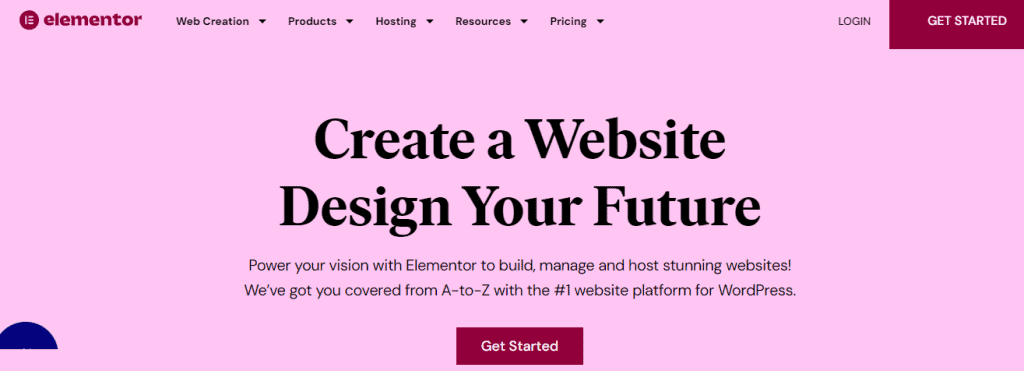
Some of the advantages of Elementor page builder are:
- User-Friendly Interface: The intuitive design makes it accessible for beginners.
- Responsive Design: Easily create mobile-friendly websites.
- Extensive Template Library: Access to a wide range of pre-designed templates and blocks
Read: Why Outsource Figma to WordPress Conversion
When to Use Elementor
- Building WordPress Websites: If your project involves creating a website on WordPress, Elementor provides a seamless experience with its drag-and-drop builder.
- Quick Deployment: For projects that require rapid development and deployment, Elementor’s pre-designed templates and widgets can significantly speed up the process.
- No Coding Experience: Elementor is perfect for individuals or teams without coding knowledge who still want to create professional-looking websites.
Figma is a cloud-based design tool that facilitates collaborative interface design and prototyping. It allows multiple users to work on the same design file in real time, making it ideal for teams. Figma’s robust features include vector editing, prototyping, and design system management. It caters to UI/UX designers who aim to create complex designs, including detailed and interactive designs.

Advantages of Figma are as follows:
- Real-Time Collaboration: Multiple users can work on the same file simultaneously.
- Cross-Platform Accessibility: Being web-based, Figma can be accessed from any device with an internet connection.
- Advanced Design Tools: Offers vector networks, prototyping, and other advanced design capabilities.
Check out: The Role and Importance of Whitespace in Figma to WordPress Conversion
When to Use Figma
- UI/UX Design: For designing user interfaces and experiences, Figma offers advanced tools for creating detailed and interactive prototypes.
- Team Collaboration: Figma’s real-time collaboration features make it ideal for teams working remotely or in different locations.
- Design Systems: Manage and maintain design systems efficiently with Figma’s component and style management features.
Key Differences Between Elementor and Figma
Here is a quick table that highlights the key differences between Elementor page builder and Figma design tool.
| Feature | Elementor | Figma |
| Primary Use | Building and customizing WordPress websites | Designing and prototyping user interfaces |
| Platform | WordPress plugin | Web-based application |
| Coding Knowledge | Not required | Not required, but beneficial for advanced features |
| Collaboration | Limited real-time collaboration | Real-time collaboration with multiple users |
| Design Flexibility | Offers pre-designed templates and widgets | Provides advanced vector editing and prototyping tools |
| Integration | Integrates with WordPress plugins and themes | Integrates with various design and development tools |
| Pricing | Free version available; Pro starts at $59/year for one website | Free version available; Professional plan starts at $12/month per editor |
Elementor vs Figma: Features Comparison
When comparing Elementor and Figma, it is essential to evaluate them across key features that influence usability, performance, and design outcomes. While both tools aim to streamline the design process, they serve different purposes and offer distinct strengths. Let’s break down their core features to help you decide which tool best fits your needs.
Elementor and Figma: Design Capabilities
Both tools excel in design, but they cater to different types of users and project requirements.
- Elementor: Focused on website building, it offers drag-and-drop functionality, pre-designed widgets, and customizable layouts within a WordPress environment.
- Figma: Known for its precision and flexibility, it allows for vector-based design, complex UI/UX wireframing, prototyping, and high-fidelity mockups.
Know more: What is the Standard Web Page Design Size and Resolution
Figma or Elementor: Collaboration and Workflow
Efficient teamwork and streamlined workflows are crucial for modern design teams.
- Elementor: Supports basic collaboration through revision history and integration with WordPress roles. However, it lacks real-time multi-user editing.
- Figma: Built for collaboration, it allows multiple users to work on the same design in real time, with comments, version control, and live previews enhancing team productivity.
Elementor or Figma: Learning Curve and Ease of Use
Ease of learning influences how quickly you or your team can become proficient with a tool.
- Elementor: Has an easy learning curve, especially for beginners with limited technical knowledge. Its interface is intuitive, with visual cues and easy customization.
- Figma: Has a steeper learning curve and offers a more complex feature set. While the interface is user-friendly, mastering advanced tools like Auto Layout and components may take time.
Know more: Pixel Perfect Design Best Practices
Figma and Elementor: Design Tool Features
Each tool provides unique functionalities tailored to its core purpose.
- Elementor: Includes built-in widgets, animation effects, theme builder, and responsive controls. These are all optimized for WordPress development.
- Figma: Features vector networks, reusable components, interactive prototypes, and plugin support, which are vital for detailed UI/UX work.
Elementor vs Figma: Web Design and Development
Understanding how each tool fits into the broader web development process is key.
- Elementor: Ideal for designing and launching WordPress sites directly. It allows immediate implementation of visual designs into functioning websites.
- Figma: Best suited for the design phase. It requires integration or design handoff to developers for code implementation, unless paired with tools that bridge the design-to-code gap.
Figma vs Elementor Pricing
Budget is always a consideration when choosing the right tool for your team or project.
- Elementor: Offers a free plan with essential features, while paid plans start at an affordable rate. This makes it accessible for freelancers and small agencies.
- Figma: Also provides a robust free version for individuals. However, its professional and organization plans are better suited for teams and come at a monthly cost per editor.
| Plan Type | Elementor | Figma |
| Free Version | Yes | Yes |
| Pro Pricing | Starts at $59/year for one website | Starts at $12/month per editor |
| Enterprise | Custom pricing available | Custom pricing available |
Combining Elementor and Figma
While Elementor and Figma serve different purposes, they can complement each other in the web development process.
- Design in Figma: Start by creating detailed UI/UX designs and prototypes in Figma.
- Export Assets: Export design assets and specifications from Figma.
- Build in Elementor: Use Elementor to recreate the designs within the WordPress environment, utilizing its drag-and-drop features.
This approach allows professional web designers to leverage Figma’s advanced design capabilities and then implement the designs using Elementor’s user-friendly website builder.
Bonus: How to Convert Figma to Elementor
While Figma is excellent for designing high-fidelity interfaces, Elementor is ideal for building responsive websites within WordPress. If you want to bring your Figma designs to life using Elementor, the process involves several key steps and tools.
Let’s walk through the essentials for converting figma designs to Elementor bridging the design to development workflow.
Prepare Your Figma Design
Before anything else, your Figma file must be structured for export and handoff.
- Organize Layers: Ensure your design layers and components are properly named and grouped for clarity.
- Use Grids and Layouts: Stick to consistent grids, padding, and alignment for easier translation to Elementor’s layout system.
Export Assets from Figma
Next, export the visual elements that you’ll need to use in Elementor.

- Download Images and Icons: Export them in web-friendly formats like SVG, PNG, or JPEG based on your design requirements.
- Get Fonts and Styles: Document font sizes, color codes, and spacing to replicate styles in Elementor.
Recreate the Layout in Elementor
Once your assets are ready, you can start building your design using Elementor’s visual editor.
- Use Sections and Columns: Rebuild your design structure using Elementor’s drag-and-drop interface.
- Apply Visual Styles: Customize typography, spacing, colors, and backgrounds to match your Figma design precisely.
Optimize for Responsiveness
Now that the layout is in place, it’s time to ensure it works well across all mobile devices.
- Responsive Editing: Adjust the layout for mobile and tablet views using Elementor’s built-in responsive controls. You can also use custom CSS to create complex designs quickly for the same project.
- Test Interactions: Make sure buttons, hover states, and animations perform as expected.
Final Testing and Launch
With the design complete, it’s important to run final checks before publishing.
- Cross-Browser Testing: Test your site on different browsers and devices for consistent performance.
- Performance Optimization: Compress images, minimize code, and enable caching to improve load times.
Summary
Choosing between Elementor and Figma depends on the specific needs of your project.
- Use Elementor if your primary goal is to build and customize WordPress websites quickly without coding.
- Use Figma if you need to create user interfaces and collaborate with a team in real-time.
For many projects, especially those involving both design and development phases, using Figma for design and Elementor for implementation can provide a comprehensive solution, combining the strengths of both tools.
So, evaluate your project’s requirements, team capabilities, and workflow preferences to make the best choice between Elementor and Figma.