With cyber threats evolving rapidly, WordPress websites have become attractive targets for hackers. From malware injections and brute-force login attempts to phishing scripts and defacements, there’s no shortage of ways your site can be compromised. A single breach can damage your brand, compromise your users’ data, and impact your search rankings.
Fortunately, there’s a simple yet powerful line of defense: WordPress security scanners.
These tools help detect vulnerabilities, scan for malware, monitor suspicious activity, and block malicious traffic before it’s too late. In this article, we’ll walk you through:
- The importance of WordPress security
- What a WordPress vulnerability scanner does
- Tips for choosing the right security tools
- Key features to look for in a plugin
- A detailed list of the best WordPress security plugins and scanners
- Best practices to maintain a secure WordPress environment
Why is WordPress Security Essential?
WordPress powers over 43% of all websites globally, making it a prime target for cybercriminals. Here’s why securing your site matters:
- Protects against malware: Malware can infect your site, redirect visitors, or steal sensitive data.
- Prevents brute-force attacks: Hackers use bots to guess login credentials and gain unauthorized access.
- Safeguards user data: From customer emails to payment info, a secure site protects your users.
- Maintains SEO performance: Google blacklists hacked sites, which affects your search engine rankings.
- Preserves your brand reputation: A security breach can erode user trust overnight.
Without proper security, you risk downtime, data loss, and costly cleanups.
What is a WordPress Vulnerability Scanner?
A WordPress vulnerability scanner is a tool used to identify security weaknesses in your website. It checks for:
- Outdated plugins and themes
- Unpatched core files
- Malware infections
- Suspicious code or file changes
- Weak passwords and misconfigured settings
These scanners can be part of a WordPress plugin or offered as cloud-based solutions. Most tools offer real-time monitoring, scheduled scans, alerts, and automatic threat removal. Some scanners even reference a vulnerability database to detect known exploits and recommend fixes.
Read: How to Optimize Your WordPress Website for Better Performance and SEO
Why Should You Invest in Security and Malware Removal Services?
While DIY security plugins are helpful, investing in professional WordPress security services brings peace of mind. Here’s what you get:
- Expert support: You get access to cybersecurity professionals who can clean hacked sites and provide advanced protection.
- Faster detection and resolution: Services often provide quicker malware removal and vulnerability patching.
- Automatic updates and backups: Many services automate critical maintenance tasks to keep your site safe.
- Better compliance: If you handle sensitive data (like eCommerce sites), you’ll meet compliance standards like GDPR and PCI DSS.
Whether you’re a blogger, agency, or eCommerce store owner, these services offer an extra layer of defense.
Choosing the Best WordPress Security Plugins and Malware Scanners
When choosing a security plugin, it’s important to go beyond just brand names. Look for these key aspects:
- Real-time malware scanning: Detects and removes malicious code instantly.
- Brute-force protection: Prevents repeated login attempts and suspicious IPs.
- Firewall integration: Blocks malicious traffic at the server level.
- Updated vulnerability database: Ensures the plugin knows the latest threats.
- Compatibility: Works well with your current themes and plugins.
- Ease of use: User-friendly interface for managing scans and settings.
- Premium features: Advanced protection like two-factor authentication (2FA), file integrity monitoring, and country blocking.
- Reputation: Check plugin reviews, active installations, and support responsiveness.
Find out: Why is WordPress the Best Platform for Your Business Website
Top WordPress Security Tools and Scanners (2025 Edition)
Let’s explore the top WordPress security scanners for 2025. This list includes both premium and free WordPress plugins that you can choose for your website. But, before that, here is a summary table of all 10 WordPress security plugins. This table highlights their core strengths, ideal use cases, and notable features.
| Plugin | Best For | Summary |
| SolidWP (Formerly iThemes Security) | Beginners to intermediate users | SolidWP offers essential security features like malware scanning, brute-force protection, and file monitoring. It’s easy to configure and ideal for non-technical users looking for reliable, automated protection. |
| Wordfence Security | Comprehensive protection with detailed insights | Wordfence combines a powerful endpoint firewall, malware scanning, and real-time traffic monitoring. It’s perfect for users who want detailed visibility into their site’s security. |
| All-In-One WP Security & Firewall | Users who want control over every aspect of security | This is a free WordPress security plugin. It gives users full control over firewall settings, login security, and database protection. It also uses a visual grading system to help users strengthen security step-by-step. |
| Sucuri Security | Websites with a history of being hacked | Sucuri offers a cloud-based firewall, DDoS protection, and malware cleanup. It’s a strong option for compromised sites or those at high risk of attacks. |
| MalCare Security | Fast malware detection and removal | MalCare uses off-site scanning to avoid performance issues and offers one-click malware removal. It’s ideal for agencies managing multiple sites. |
| WPScan | Developers and security-focused professionals | WPScan specializes in vulnerability detection using its own curated database. It is best for developers who need proactive scanning of plugins and themes. |
| Patchstack | Developers and WordPress professionals | Patchstack provides real-time vulnerability alerts and virtual patching, making it a smart choice for freelancers and agencies that manage client websites. |
| SiteLock | Business and eCommerce sites | SiteLock delivers automated scanning, PCI compliance, and site acceleration features. It is well-suited for commercial sites needing high security and performance. |
| Defender Security by WPMU DEV | All-in-one WordPress protection | Defender offers two-factor authentication, IP blocking, and audit logs. Its premium version adds malware scanning and cloud backups, all within a user-friendly interface. |
| Security Ninja | Technical users who want detailed reports | Security Ninja performs over 50 security tests and provides detailed results without automatic fixes, giving technical users complete control over their site’s defense. |
SolidWP (Formerly iThemes Security)
Best for: Beginners to intermediate users
SolidWP (or Solid Security) is a trusted and user-friendly security plugin that offers comprehensive protection without overwhelming beginners. It’s ideal for site owners who want strong defenses with minimal setup.

- Malware Scanning and Brute-Force Protection: SolidWP helps secure your site by scanning for malware and blocking brute-force login attempts. This prevents unauthorized access and keeps malicious bots at bay.
- File Integrity Monitoring: It also monitors WordPress core files for unexpected changes, alerts you if anything suspicious occurs, and gives you control and visibility over your site’s security and health.
- Two-Factor Authentication and Password Policies: To further protect the login process, SolidWP includes two-factor authentication and allows you to enforce strong password policies across all user roles.
- Advanced Features in Pro Version: The Pro version includes advanced tools such as scheduled security checks, user activity logging, and real-time IP blocking. This offers layered protection for growing websites.
- Beginner-Friendly Setup: With a clean interface and straightforward setup wizard, SolidWP is perfect for non-technical users who want to secure their website quickly and efficiently.
Wordfence Security
Best for: A popular security plugin that offers comprehensive protection with detailed insights.
Wordfence is a popular all-in-one WordPress security solution known for its in-depth protection and live monitoring. It’s suitable for both beginners and advanced users who want transparency and control.
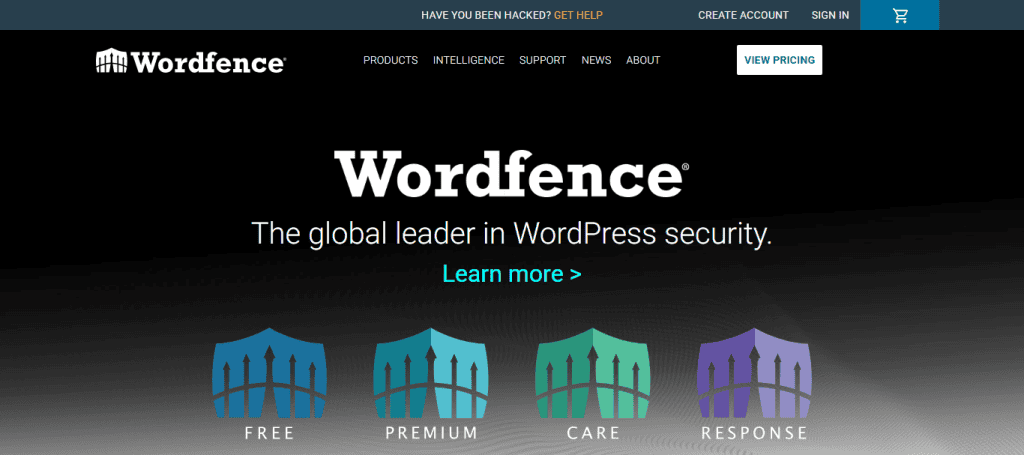
- Anti Malware Security and Endpoint Firewall: Wordfence includes a robust malware scanner and a built-in endpoint firewall to block malicious traffic before it reaches your site.
- Live Traffic and Attack Reports: Real-time traffic monitoring allows you to see hacking attempts as they happen, giving you full visibility into your website’s security status.
- Suspicious Behavior Alerts: You’ll receive instant alerts about file changes, login attempts, or any unusual behavior, enabling fast response to threats.
- Free and Premium Options: The free version offers core protection, while the premium adds real-time threat intelligence, country blocking, and more frequent updates.
All-In-One WP Security & Firewall
Best for: Users who want control over every aspect of security.
All-In-One WP Security & Firewall is a highly customizable plugin designed for users who prefer hands-on control over their site’s security. It’s ideal for those comfortable managing individual security settings.

- 100% Free WordPress Plugin: Despite being free, the plugin is frequently updated and provides reliable protection without needing a premium upgrade.
- Flexible Security Features: The plugin offers granular control over multiple threat vectors, from firewall rules to brute-force login protection and database security.
- Visual Security Grading System: A built-in grading system visually shows your site’s current security level and guides you in making improvements.
Sucuri Security
Best for: Websites with a history of being hacked.
Sucuri Security is a cloud-based solution ideal for websites that have previously been compromised. It offers robust external protection without affecting site performance.

- Cloud Firewall with DDoS Protection: Its cloud-based firewall blocks malicious traffic and offers additional protection against DDoS attacks.
- Malware Scanning and Hardening: Sucuri scans for infections and suggests ways to harden your WordPress installation for better long-term security.
- Premium Plans Include Cleanup: If your site is hacked, premium plans include professional malware cleanup and blacklist removal services.
- Lightweight Plugin: The plugin is non-intrusive and doesn’t slow down your site, making it a solid choice for performance-focused users.
MalCare Security
Best for: Fast malware detection and removal.
MalCare is one of the most popular security plugins that is built for speed and efficiency. It is a perfect fit for agencies and users managing multiple websites. Its off-site scanning ensures zero server impact.

- Off-Site Malware Scanning: Instead of scanning from your own server, MalCare checks for malware externally, keeping your site fast and responsive.
- One-Click Malware Removal: The premium version allows you to instantly clean your site of malware without technical intervention.
- Additional Features: It includes uptime monitoring, firewall protection, and login security, all essential for multi-site managers.
WPScan
Best for: WordPess developers and security-focused professionals.
WPScan is tailored for developers and technically skilled users who want to stay ahead of plugin and theme vulnerabilities. It’s known for its detailed vulnerability database.
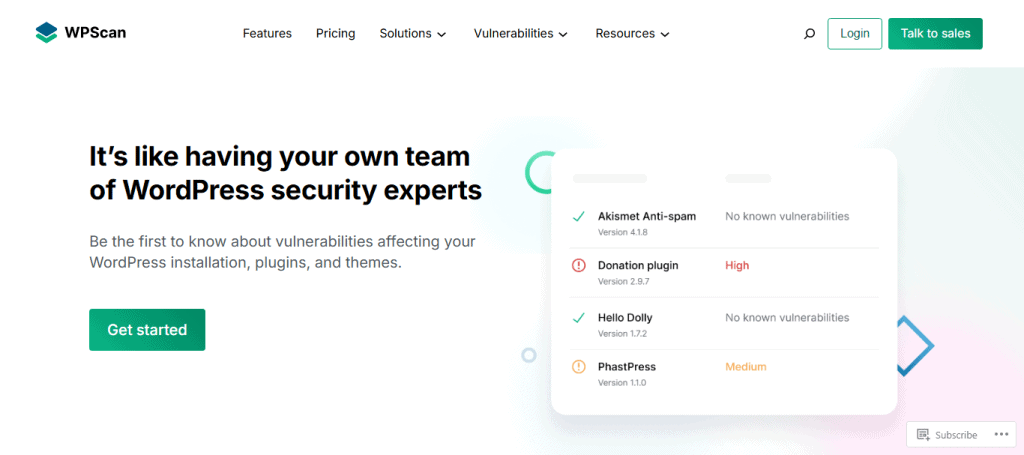
- Developer-Centric Security: WPScan scans for known vulnerabilities in plugins, themes, and core files, using a regularly updated database.
- Automated Daily Scans: You can schedule scans to run daily and receive email alerts when issues are found.
- Flexible Plans: It offers a generous free API plan, with paid upgrades for more extensive scanning needs.
Patchstack
Best for: Developers and WordPress professionals.
Patchstack is one of the other WordPress security plugins that focuses on vulnerability detection. It is especially valuable for agencies and developers managing client websites. It also proactively protects your site from plugin-based threats.

- Plugin Vulnerability Detection: Patchstack identifies plugin and theme vulnerabilities and alerts you before they can be exploited.
- Virtual Patching: Its unique virtual patching system acts as a temporary fix until official plugin updates are released.
- Ideal for Freelancers and Agencies: Patchstack is widely used by developers and freelancers managing multiple WordPress installs, thanks to its proactive alerts.
SiteLock
Best for: Business and eCommerce sites
SiteLock is a professional-grade security solution suited for business and eCommerce websites that require 24/7 monitoring and compliance support.

- Comprehensive Security Suite: It includes malware scanning, DDoS protection, a web application firewall, and daily backups for complete coverage.
- PCI Compliance Support: For eCommerce websites, SiteLock helps meet PCI compliance standards, making it a great choice for online stores.
- Performance Boost Included: It also enhances your website’s performance with uptime monitoring and site acceleration features.
Defender Security by WPMU DEV
Best for: All-in-one WordPress protection
Defender is an all-in-one WordPress security plugin that offers a balance of simplicity and advanced tools. It’s great for users looking for full coverage with minimal complexity.
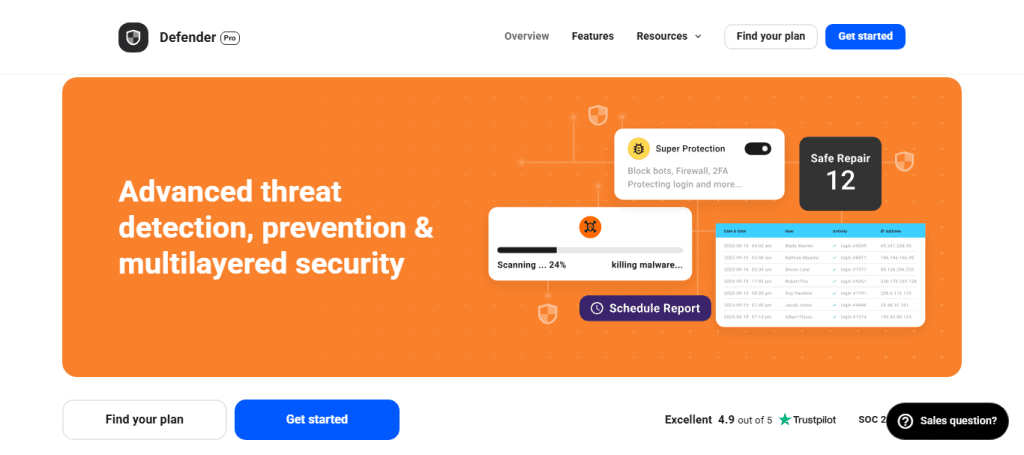
- Built-In Core Protection: The free version includes two-factor authentication, IP blacklisting, and regular vulnerability reports.
- Advanced Tools in Premium Plan: With the premium version, you also get malware scanning, audit logs, and automated cloud backups.
- User-Friendly Interface: It’s designed for easy navigation, making it ideal for solo site owners or small business websites.
Security Ninja
Best for: Technical users who want detailed reports.
Security Ninja is a comprehensive security auditing tool designed for technically inclined users who want maximum control without automated interference.

- Over 50 Security Tests: The plugin performs a wide range of checks, covering everything from file permissions to database security.
- Pro Features for Advanced Users: Upgrade to the Pro version for features like cloud-based firewall, scheduled scans, and one-click fixes.
- Manual Control Emphasized: Unlike many WP security plugins, Security Ninja doesn’t automatically fix issues. It lets you choose exactly how to handle them.
Key Features of WordPress Security Plugins
The most reliable WordPress security tools come equipped with essential features that work together to protect your site from threats. Below are the key features you should look for when evaluating a plugin.
Malware Scanner & Removal
One of the most critical components is a malware scanner that actively checks your website for malicious code, infected files, or unauthorized changes. A good plugin will not only detect threats but also help you safely remove them to restore your site’s integrity.
Brute Force Protection
Brute-force attacks occur when bots attempt to guess your login credentials. This feature limits the number of failed login attempts, helping to prevent unauthorized access. Some tools also block suspicious IP addresses automatically.
Firewall Integration
A web application firewall (WAF) filters incoming traffic and blocks harmful requests before they reach your site. By acting as a first line of defense, it prevents exploits, SQL injections, and other attacks from even touching your WordPress core.
Two-Factor Authentication (2FA)
Adding a second step to the login process significantly enhances your site’s security. Even if someone guesses your password, they won’t be able to access your admin panel without the second authentication factor, typically a mobile-generated code or email link.
File Integrity Monitoring
This feature monitors your website files for unauthorized changes or suspicious uploads. If a core file is modified without approval, the plugin will alert you so you can take corrective action immediately.
Real-Time Alerts
Instant alerts help you stay on top of security events as they happen. Whether it’s a failed login attempt, malware detection, or plugin vulnerability, real-time notifications ensure you’re always informed and can act quickly.
Scheduled Scans
To ensure ongoing protection, scheduled scans allow you to automate daily or weekly checks for vulnerabilities. This helps catch new threats early without requiring manual intervention.
Security Hardening Recommendations
Some plugins offer step-by-step guidance to enhance your WordPress security. These recommendations often include disabling file editing, securing sensitive files, and enforcing stronger authentication settings.
Best WordPress Security Practices for 2025
While security plugins offer strong protection, relying on tools alone isn’t enough. To fully safeguard your WordPress site, you need to follow consistent, proactive practices. These habits strengthen your defenses and reduce the risk of common cyber threats.
Keep WordPress, Themes, and Plugins Updated
Outdated software is a major vulnerability. Regularly updating your WordPress core, themes, and plugins ensures that security patches are applied as soon as they’re released, keeping attackers at bay.
Use Strong Passwords
Simple or reused passwords are easy targets for brute-force attacks. Instead, create complex passwords using a mix of letters, numbers, and symbols. Password managers can help you generate and store them securely.
Limit Login Attempts
By restricting the number of login attempts allowed, you can block bots or malicious users from guessing your login credentials. Many security plugins offer this feature by default.
Regular Backups
Even the most secure sites can experience issues. Regular backups ensure that, in the event of a hack or system failure, you can quickly restore your website without losing valuable data.
Enable Two-Factor Authentication (2FA)
Adding an extra layer of login security through 2FA significantly reduces the chance of unauthorized access. Even if your password is compromised, 2FA keeps intruders out.
Monitor Your Site Activity
Activity logs allow you to track changes made to your site, such as file edits or login attempts. Monitoring these logs helps you identify and respond to suspicious behavior in real time.
Use a Web Application Firewall (WAF)
A WAF acts as a security gatekeeper by filtering traffic and blocking malicious requests. It protects your site from common threats like SQL injections, cross-site scripting, and spam bots before they reach your server.
To Sum Up
Cybersecurity is no longer optional; it’s essential. In 2025, WordPress sites will remain prime targets for attackers. But with the right tools and best practices, you can drastically reduce your risk.
Start by choosing a trusted WordPress security scanner. Whether you’re a beginner or a developer, the tools listed above offer solutions for every need and budget. Combine that with proactive habits like regular updates, backups, and strong passwords, and you’ll be well on your way to a secure, trustworthy, and high-performing website.
FAQs About WordPress Security and Malware Scanners
Do I really need a WordPress security plugin?
Yes. Even small blogs can be targeted by automated bots or malware. A security plugin protects your site from common security threats.
What is the best security for WordPress?
The best security system for WordPress involves a combination of reliable plugins and best practices. Wordfence Security is often considered one of the best all-in-one solutions due to its robust firewall, malware scanner, and real-time monitoring features.
What’s the difference between a free version and a premium WordPress plugin?
Free WordPress plugins often provide basic scanning and limited protection. Premium plugin versions offer real-time monitoring, advanced firewalls, and malware removal.
Can these plugins clean a hacked site?
Some, like MalCare and Sucuri, offer one-click malware removal. Others may require manual intervention or a paid u003ca href=u0022https://seahawkmedia.com/services/hacked-site-repair/u0022 target=u0022_blanku0022 rel=u0022noreferrer noopeneru0022u003ehacked site and cleanup serviceu003c/au003e.
What is the alternative to WPScan?
A strong alternative to WPScan is Patchstack. Like WPScan, it focuses on detecting vulnerabilities in WordPress themes and plugins. However, Patchstack goes a step further by offering virtual patching, which helps protect your site even before official updates are released.
Will a security plugin slow down my website?
No, most modern plugins are optimized to minimize performance impact. Some, like MalCare, perform scans off-site to avoid slowing your server.
Can I use multiple security plugins at once?
Yes, you can use them. However, avoid using multiple security plugins simultaneously, as they may conflict. Choose one comprehensive solution that meets all your needs.
What is the best content protection plugin for WordPress?
The best content protection plugin for WordPress is u003ca href=u0022https://preventdirectaccess.com/u0022u003ePrevent Direct Access (PDA) Goldu003c/au003e. It allows you to restrict access to media files, block file URLs from being shared, and control who can view or download content. Another solid option is u003ca href=u0022https://wordpress.org/plugins/wp-content-copy-protector/u0022u003eWP Content Copy Protection u0026amp; No Right Clicku003c/au003e, which disables right-clicking, text selection, and keyboard shortcuts to deter copying.