Businesses often seek flexible, cost-effective, and scalable platforms when creating a website. Transitioning from Sitecore, a robust but complex and costly enterprise-level Content Management System (CMS), to WordPress offers a promising alternative. Known for its user-friendliness and customizability, WordPress is an excellent platform for organizations aiming to optimize their current website. This guide will show you how the WordPress migration process works, making it easy for you to switch from Sitecore to WordPress.
Why Migrate from Sitecore to WordPress?
Migrating from Sitecore to WordPress can substantially reduce licensing fees and web development costs, offering significant savings for your organization. WordPress is an affordable and user-friendly alternative, making it an attractive option for businesses looking for cost efficiency and customization.
With a repository of WordPress themes and a vast plugin ecosystem, WordPress also supports innovative and personalized solutions. This transition is not only financially advantageous but also provides scalability, performance, and security features suitable for growing enterprises.
Comprehensive Guide: Is WordPress Free
Sitecore to WordPress Migration: Pre-Migration Planning

Successful migration begins with meticulous planning. Here are steps to prepare for a seamless transition:
- Evaluate Current Features: Start by assessing your current Sitecore website to identify features and functionalities that need replication in WordPress.
- Assess Suitability: Ensure WordPress fits your organization’s needs by evaluating web hosting providers and content structures. Consider any custom integrations or specialized content from Sitecore that may require specific plugins or custom scripts in WordPress.
- Plan Content Structure: Outline your new WordPress site’s content structure to match or improve your current setup.
- Conduct a Content Audit: Identify and segregate content for migration to avoid unnecessary data transfer.
- Evaluate Functionality: Determine if WordPress can replicate the functionalities found in Sitecore, possibly requiring additional plugins or development.
Know more: White Label Services for CMS to WordPress Migration
The WordPress Migration Process
The approach you take for migrating a website from Sitecore to WordPress will largely depend on the complexity and scope of your existing site. Here are several strategies that you can choose from
Professional WordPress Migration Services
Hiring a professional agency for WordPress migration service is often the top choice for businesses seeking a seamless transition with minimal risk. These services provide access to experienced professionals specializing in CMS migrations, from planning to execution and optimization.
Professional services also take a holistic approach, focusing on content transfer and maintaining SEO performance. As well as website redesign, site speed optimization, and website security.
When to Consider: Large organizations, enterprise websites, or businesses seeking a tailored end-to-end WordPress services can greatly benefit from hiring professionals. This option is ideal when you lack the internal resources or technical expertise needed for a successful migration.
Automated Migration Tools
For those looking for efficiency and convenience, automated migration tools can be a game-changer. WordPress plugins like WP All Import can streamline the migration by handling bulk content transfers quickly and effectively. These tools can efficiently migrate standard elements such as posts, pages, images, and metadata.
When to Use: Automated tools are ideal for websites with a standard setup and straightforward content structures. For example, a blog or a small business website with minimal special features can benefit from this approach.
Ultimate Guide: Joomla to WordPress Migration
Manual Transfer
Opting for a manual Sitecore to WordPress migration offers unparalleled control over the process. This method allows you to meticulously plan and tailor each component of your site, ensuring the new WordPress setup aligns precisely with your business objectives and design preferences.
Use Case: Consider this method if your Sitecore site has complex features or custom content types that need intricate handling. For instance, websites with heavily customized layouts or interactive features may require manual adjustment to recreate the intended user experience.
Tips to: Outsource WordPress Site Migration
Custom Development for Functionality Replication
One of the most crucial steps in the migration process is replicating the functionalities that were present in Sitecore. WordPress has a rich ecosystem of plugins that can replicate or even enhance these functionalities. In cases where out-of-the-box plugins are insufficient, using custom WordPress development services for developing bespoke PHP scripts or modules can bridge functionality gaps.
For example, if your Sitecore site had a unique product recommendation engine, you might need to write custom code to recreate this feature in WordPress. Alternatively, plugins like WooCommerce could be used to build custom e-commerce stores that match or surpass those from Sitecore.
Read: Latest WordPress Development Trends
Sitecore to WordPress: Importance of Testing and Quality Assurance
Testing and quality assurance are pivotal stages in the migration process from Sitecore to WordPress. They safeguard your site’s functionality and user experience, ensuring your website operates smoothly and efficiently post-migration.
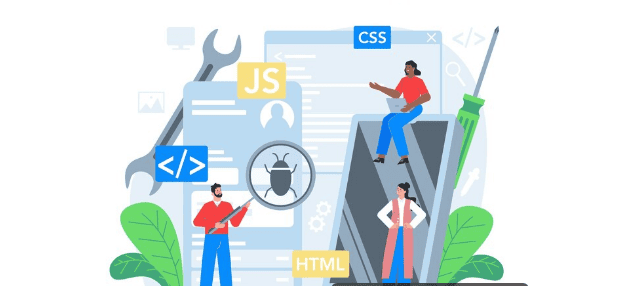
A few key areas demand focus:
- Functionality Testing: Conduct thorough checks to ensure every element of your site works as intended. This includes verifying features like contact forms, search functions, and interactive media elements. Consider using automated testing tools like Selenium or TestComplete to simulate various user interactions and identify issues early.
- Performance Checks: Tools such as Google PageSpeed Insights, Seahawk’s Website Speed Test and Pingdom are invaluable for assessing loading speeds and performance metrics. They provide insights into optimization opportunities, such as image compression or script minimization. Also, conduct tests during peak usage times to ensure your site can handle traffic surges without degradation.
- Content Validation: Check all migrated content for accuracy and completeness to ensure the user experience remains consistent and intuitive. This includes media files, metadata, and internal linking structures. Additionally, verify that library elements, such as images and videos, display correctly on all devices and that metadata is intact to support SEO.
- SEO Maintenance: Make use of SEO plugins like AIOSEO and Yoast SEO to maintain pre-migration search engine rankings. These tools help identify and rectify issues such as broken links, missing meta descriptions, and incorrect page titles.
Migration Guide: Kentico CMS to WordPress WooCommerce
Launching Your New WordPress Site
Once the migration from Sitecore to WordPress is complete, launching your new site requires meticulous preparation and attention to detail. This crucial phase ensures a seamless transition and optimal user experience from day one. Here’s how to approach it:
Final Checks
Review the entire content structure to ensure it mirrors the intended hierarchy and organization. Check for any discrepancies in page titles, headings, and navigation menus to maintain consistency with your site map. Use tools like Broken Link Checker to ensure all internal and external links are valid and functional, safeguarding against user frustration and SEO penalties.
Backup Sites
Preserve comprehensive backups of both your Sitecore site and the new WordPress setup. Tools like BlogVault can automate WordPress site backups, ensuring data safety if issues arise post-launch. Also, have a clear plan for quickly reverting to these backups if necessary, minimizing downtime and operational disruption.
URL Redirection
Implement 301 redirects from old Sitecore URLs to their new WordPress equivalents. This prevents broken links & 404 errors and retains your site’s SEO authority by informing search engines of permanent URL changes. Test these redirects thoroughly to confirm they are directing users to the correct pages, ensuring a smooth user experience without interruption.
DNS Update
Update your DNS settings to point to the new WordPress hosting server. This step is essential for making your new WordPress website publicly accessible. Be aware that DNS changes may take up to 48 hours to propagate worldwide, though often it happens much faster.
Find out: Does Your Portfolio Website Need to Be ADA-Compliant
List of Post-Migration Tasks
A successful migration from Sitecore to WordPress is the beginning of a new phase of website management. Post-migration to the WordPress platform, here are the key tasks to focus on:
Feedback Collection
Collect feedback from your marketing and operational teams to understand how the new site aligns with business needs and workflows. Their insights can help identify any lingering issues or areas for further improvement. Also, encourage feedback from external users to gain valuable perspectives on usability and functionality. Use surveys or feedback forms to gather information.
Behavior Monitoring
Use tools like Hotjar or Google Analytics to track visitor behavior, identify popular content, and understand user interactions. This data helps you tailor your content and site features to better meet user expectations. Analyze user behavior with heatmaps and session recordings via MS Clarity to identify areas of user friction or engagement.
Regular Updates, Caching Solutions, and Image Optimization
Update your WordPress core, plugins, and themes regularly to protect against vulnerabilities and ensure new functionalities are operational. Use caching plugins like W3 Total Cache and WP Super Cache to speed up page load times. Also, properly configure and test these caching solutions to ensure they complement your website without causing conflicts. Also, use plugins like EWWW Image Optimizer and Smush to compress images and ensure quick load times. Regularly auditing your media library is also essential to optimize all new images.
Invest in WordPress Maintenance
Investing in professional WordPress maintenance services ensures your site remains secure, functional, and up-to-date. These services are handled by experts who can react quickly to technical issues. They can schedule regular site audits to catch potential problems before they escalate.
Have a WordPress Emergency Plan
Develop a WordPress emergency plan detailing procedures for handling site outages, security breaches, and other potential crises. This plan should include contact information for key personnel and technical support resources. Also, update and review your emergency plan periodically to ensure relevance and completeness in light of new challenges or changes to your site architecture.
To Sum Up
Migrating from Sitecore to WordPress facilitates a more cost-effective digital environment for businesses, enabling improved customer experiences through enhanced security and reduced maintenance costs.
By methodically following through with the preparation, execution, launch, and optimization phases, businesses can lay the groundwork for a more efficient and engaging website. Leveraging professional WordPress migration services can further enhance the likelihood of success, providing expert guidance, staging environments, and ongoing WordPress support.
FAQs About WordPress Migration
Can I migrate my website to WordPress?
Yes, you can migrate your website to WordPress, either manually or with the help of automated tools. When planning your migration strategy, consider factors like site complexity and required functionalities.
Is WordPress similar to Sitecore?
While both are enterprise-level CMS platforms, WordPress is generally more user-friendly and flexible. In contrast, Sitecore is more technically complex to manage and maintain.
What is Sitecore migration?
Sitecore migration involves transferring your website and its content from the Sitecore platform to another CMS like WordPress. Migration is often done to save money or improve usability.
How do I migrate to a WordPress installation?
Migrate to WordPress by evaluating your current setup, choosing a migration method, install WordPress, and proceed with content, data migration, and functionality transfers. Ensure thorough testing post-migration for a seamless transition.
What are the benefits of using WordPress over Sitecore?
WordPress offers cost savings, ease of use, and extensive customization options with numerous themes and plugins. It is adaptable for various business needs and is generally easier to maintain, making it a favorable choice for many organizations.