When you’re designing a website, finding the best width for your layout is like choosing the perfect frame for a beautiful piece of art. The right dimensions not only showcase the design aesthetically but also ensure a smooth user experience across different devices. Today, where users access websites through desktops, tablets, and phones, maintaining an optimal site width is crucial for your website’s success. So, let’s check out the best width for website and how to create an optimal layout.
The Impact of Website Dimensions on User Experience
Have you ever visited a website and found yourself squinting to read the content, or endlessly scrolling horizontally to view all the images? That’s often the result of inappropriate website dimensions.

Website dimensions have a significant impact on user experience and design aesthetics. Every pixel counts when it comes to web design. Getting these dimensions right is key to crafting a seamless and engaging user experience.
Understanding website dimensions is essential for creating layouts that perform well on various screens. The size of your website can greatly influence its digital identity. Interaction between user behavior and device usage should guide your decisions regarding website dimensions.
With the variety of mobile devices available today, picking the right dimensions can seem daunting, but it’s crucial to research and make the right choice for maintaining consistency and clarity.
Learn about: Best White Label Web Design Companies for Agencies and Freelancers
Determining the Best Width for Website Design
A common consensus for the optimal width in website design is generally between 940px and 1000px. These dimensions cater to the majority of devices without overwhelming the user. While it’s tempting to design for the latest screen sizes, it’s not always a wise choice. Using guides at 1000px ensures that the content stops where it should, maintaining a clean and accessible layout.
You might wonder why some designers recommend a web page width range between 1080px and 1440px. This range acknowledges the increasing width of popular devices, but it’s essential to avoid going too wide. A wider design field can pose challenges, potentially complicating your layout and leading to poor user experiences.
All You Need to Know: Headless WordPress Website Design Agency
List of Different Types of Dimensions and Width for Website
Here’s a summary table that includes typical width ranges for each type of site width or website dimension:
| Type of Site Width | Description | Typical Width Ranges |
| Fixed Width | A fixed-width design employs a specified pixel width, ensuring the layout remains the same size regardless of the screen or device, which is a common practice in traditional web design. | 960px, 1024px, 1280px |
| Fluid (Liquid) Width | A fluid width design adapts to the width of the browser window by using percentage-based dimensions, allowing the layout to expand and contract dynamically with the window size. | 100% of the browser window |
| Responsive Design | Responsive design utilizes CSS media queries to adjust the layout based on the screen size, ensuring an optimal viewing experience across all devices. | Varies widely (breakpoints like 768px, 992px, 1200px) |
| Adaptive Design | An adaptive design employs multiple fixed layouts tailored for different device categories, such as mobile, tablet, and desktop, switching between them based on the user’s device to ensure a suitable fit for each specific viewing platform. | Specific widths for devices, e.g., 320px (mobile), 768px (tablet), 1024px (desktop) |
| Full-Width | A full-width design expands across the entire width of the screen and is often used for immersive design experiences such as full-width images and videos. | 100% of the screen width |
Common Mistakes to Avoid in Website Width Design
Designing the width of a website might seem straightforward, but there are common pitfalls that can complicate the process and detract from user experience. It’s important to recognize these challenges to create an effective and appealing website.
- Designing Wider Sites: While designing a wider site might initially sound appealing, it often makes the design process more challenging. Wider sites can lead to difficulties in organizing content, resulting in a cluttered appearance.
- Default Site Width Challenges: Choosing a default width isn’t always the optimal choice. It’s essential to avoid creating web pages that are excessively wide, as this can overwhelm and deter visitors rather than attract them.
- Content and Style Considerations: It’s crucial to select a width that complements your website’s content and style. Long text lines can hinder readability and cause strain for the reader. By carefully considering these factors, you can enhance the overall user experience.
Also read: Common WordPress Website Design Mistakes to Avoid for Success
Site Width Best Practices for Web Designers
Creating a website that is both visually appealing and user-friendly requires an understanding of design fundamentals. Here are some essential guidelines to help you achieve great website widths and improve usability.
Optimal Column Width
When designing text-heavy sections, aim for a column width that allows 12-17 words per line. This range is optimal for readability, as it prevents the text from appearing too dense or too spread out. It allows readers to comfortably scan and comprehend the content without losing their place.
Appropriate Font Size
Begin with a base font size of 16px for body text. This size is generally considered readable on a variety of screens and promotes clarity and accessibility. A consistent and legible font size ensures that your audience can easily consume your content, regardless of their device or visual ability.
Comfortable Line Height
It’s important to use a line height that is approximately 1.5 times the font size. This spacing helps to create a comfortable reading experience by providing sufficient white space between lines. A well-chosen line height reduces the likelihood of the reader skipping lines or feeling overwhelmed by the text block.
Effective Content Alignment
Ensure that both columns and text are neatly aligned within the chosen dimensions without spilling over the edges. Proper alignment creates a structured and professional aesthetic. It also aids in guiding the user’s eye through the content, enhancing navigability and understanding.
Balancing Line Width, Font Size, and Line Height
Achieving a balance between line width, font size, and line height is crucial. This harmony ensures that the text is neither too lengthy nor challenging to read, contributing significantly to an enhanced user experience. By considering how these elements interact, web designers can create layouts that are both functional and engaging.
By adhering to these best practices, you can design websites that cater to a wide audience and enhance their interaction with your content.
Guide to: Asymmetrical Layouts and Overlapping Elements in Web Design
Measuring Success and Iterating
Creating the optimal website width doesn’t stop at design; it requires ongoing assessment. Conduct a website audit to identify potential areas for improvement. A thoughtful design can make a lasting first impression and significantly increase the chances of converting leads into clients. Success involves tracking user engagement and adjusting the design at regular intervals to meet evolving needs.
Understanding Common Screen Sizes, Resolutions, and Device Variations
The variety in screen sizes and resolutions continues to reshape the digital landscape, significantly influencing user experience and website engagement. As technology evolves, so do device dimensions, making it essential for web designers to adapt and create versatile designs.
Desktop Screens
Desktop screens provide a vast canvas for design, and their standard dimensions are often informed by user behavior patterns. Typically, designs for desktops accommodate higher resolutions and larger screen sizes, providing ample space for detailed and immersive designs.

Desktop Screen Dimensions
- 1366×768 pixels: Common for older and budget-friendly laptops.
- 1920×1080 pixels (Full HD): Popular for modern desktop monitors and laptops.
- 2560×1440 pixels (2K): Often used for higher-end desktop monitors.
- 3840×2160 pixels (4K): Found in advanced monitors for high-resolution imagery.
Tablet Devices
Tablets, with their flexibility to switch between landscape and portrait orientations, require thoughtful design considerations to maintain a consistent user experience. These devices often need adaptive layouts that can seamlessly transition between varying screen orientations without sacrificing usability or visual appeal.
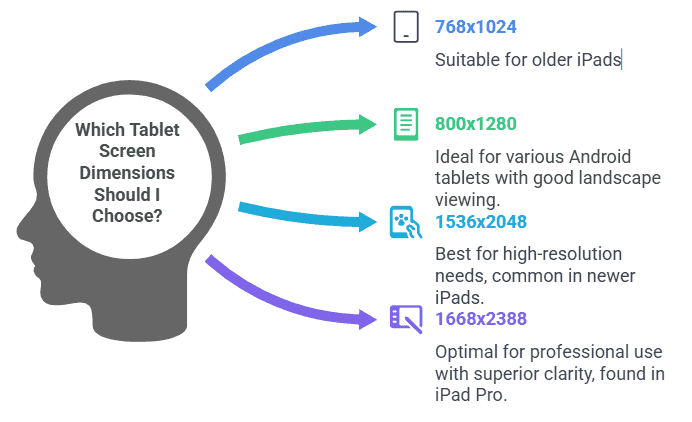
Tablet Screen Dimensions
- 768×1024 pixels (XGA): Seen in older iPads (portrait orientation).
- 800×1280 pixels (WXGA): Used in various Android tablets (landscape orientation).
- 1536×2048 pixels: Common in newer, higher-resolution tablets like the iPad.
- 1668×2388 pixels: Found in iPad Pro models for superior clarity and detail.
Mobile Devices
Mobile devices demand a mobile-first design approach due to their smaller screen sizes and unique usage patterns. The significant variation in standard mobile screen dimensions necessitates responsive design, which adapts the layout dynamically to ensure usability and readability across a broad spectrum of devices.
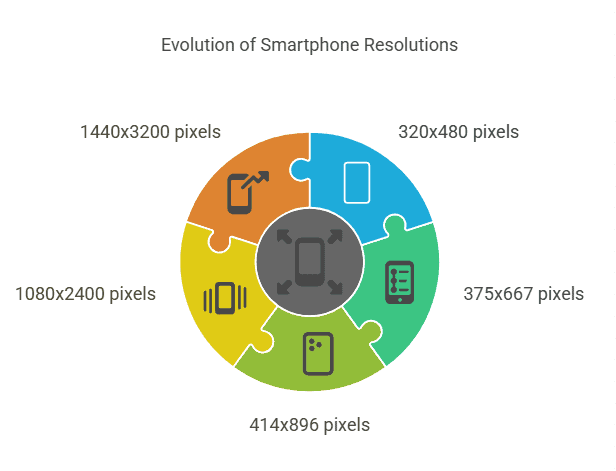
Mobile Device Dimensions
- 320×480 pixels: Original resolution on early smartphones.
- 375×667 pixels (Retina): Found on iPhones like the iPhone 8.
- 414×896 pixels: Common on larger iPhone models like the iPhone 11 series.
- 1080×2400 pixels: Used in many Android devices for crisp display quality.
- 1440×3200 pixels (WQHD): Available on premium smartphones with larger displays.
These sizes and resolutions are indicative of the diversity present in the digital world. Understanding and designing for this variability ensures that websites are accessible and engaging across all platforms.
Know more: Why Accessibility in Web Design Should Be a Focus for White-Label WordPress Providers
Responsive Web Design for Multiple Devices
Responsive web design is a powerful approach to ensuring that websites look stunning across all screen sizes. This method involves creating a single design that seamlessly adjusts to enhance user experience on various devices.
- Design Adaptability: Responsive design constructs one flexible layout that dynamically shifts to fit the screen, whether it’s a mobile phone, tablet, or desktop. This adaptability helps maintain functionality and aesthetics regardless of the viewing platform.
- Utilizing Breakpoints: By implementing breakpoints, responsive design modifies layouts according to specific screen widths. Breakpoints allow images, text, and containers to resize and reposition as needed, ensuring the design elements remain fluid and visually appealing.
- Enhanced User Experience: With these adjustments, responsive design significantly enhances user experience by providing consistent visual quality and navigation ease. This approach eliminates the need for separate website versions, streamlining maintenance and ensuring a uniform brand presence across devices.
Check out: Top Trends in WordPress Website Design
Designing for Mobile Devices
As mobile devices capture a substantial share of web traffic, employing a mobile-first design strategy has become essential. This approach focuses on creating a strong foundation for your site that caters specifically to mobile experiences.

- Mobile-First Strategy: A mobile-first design strategy entails designing the mobile version of your site before progressing to the desktop version. By starting with the smallest screen in mind, you ensure that the core features and functionality are prioritized, leading to a more streamlined and efficient design.
- Impact on User Experience: Like selecting the right colors for your website, designing with mobile in mind significantly impacts user experience and engagement. Focusing on intuitive navigation and ease of access on smaller screens ensures that users can interact effortlessly with your content.
- Avoiding Horizontal Scrolling: Be mindful of site width, as dimensions wider than a mobile screen can lead to unwanted horizontal scrolling. This detracts from usability and can frustrate users, emphasizing the importance of designing within the constraints of mobile screen sizes for a seamless experience.
Ultimate Guide: How Many Tertiary Colors Are There
Conclusion
Finding the best width for website design means considering multiple critical factors: screen sizes, device variations, and user interaction. By adhering to industry best practices and avoiding common pitfalls, web designers can craft optimal layouts that engage users across an array of devices and screen resolutions.
Responsive web design also remains the cornerstone for ensuring your website looks flawless on any screen. It’s not just about aesthetics but enhancing user experience and engaging more visitors to explore your digital space.
As web technologies continue evolving, staying informed about the optimal site width and other design components is essential for creating a cohesive and successful online presence.
FAQs About Best Width for Website
What is the best width for a website?
The best width for a website is ideally between 940px to 1000px, but it depends on your audience and content.
Are websites 1920×1080?
While designed for this resolution, most websites scale down to fit smaller screens.
What is the best image size for a full-width website?
The best image size for a full-width website depends on the design, but it is often around 1920px in width to maintain quality.
Is there a difference between the large desktop monitors’ big screens and the mobile version?
Yes, there is a difference between big-screen desktop versions and mobile versions; layouts and elements adjust to suit the screen size, ensuring optimal usability and presentation for each device.
What is the max width for a website design?
The maximum width for a website design typically ranges between 1080px and 1440px, whereas the minimum width should be around 320px to accommodate smaller screens.
What is the best image width and height for a website?
For optimal quality, the best image width and height for a website should not exceed the display dimensions in which they will be shown. This ensures clear and efficient loading without unnecessary scaling.
What is the optimal site margin and viewport width?
The optimal site margin varies depending on the layout. Still, generally, a margin of 20px to 40px on each side provides a visually pleasing balance. In contrast, the optimal viewport width often aligns with the standard 100% of the device’s screen width to ensure proper scaling and usability.