Creating a website today is more than just choosing a few colors and placing content on a page. It’s about ensuring your site works across all devices, loads quickly, and looks clean and professional. One of the key components of this is designing a standard content wide website.
In this ultimate guide, we’ll explain the fundamentals of website design, discuss the importance of screen size and content width, and give you actionable tips for designing a responsive, optimized website.
What is Web Design?
Web design refers to planning, conceptualizing, and arranging content to be presented on the Internet. However, it’s not just about choosing attractive colors or placing images neatly on a page. Web design is a strategic discipline that combines creativity, usability, and functionality.
In fact, a well-thought-out web design plays a crucial role in delivering seamless user experiences across all kinds of devices, whether it’s a smartphone, tablet, laptop, or large desktop monitor. It ensures that users can navigate your site with ease, find the information they need quickly, and interact with your content without friction.
Moreover, website design has a direct impact on several key aspects of your online presence:
- It enhances user experience (UX): A clean layout, intuitive navigation, and mobile-friendly structure keep visitors engaged and satisfied.
- It boosts SEO performance: Search engines favor websites that are responsive, fast-loading, and well-structured.
- Drives conversions: A professionally designed site builds trust and encourages users to take action; whether it’s making a purchase, signing up for a newsletter, or filling out a form.
- It reflects your brand’s credibility: Your website often serves as the face of your brand, and a polished design reinforces your professionalism and attention to detail.
Ultimately, web design is about more than just looking good. It’s about crafting an experience that aligns with your goals and speaks directly to your audience. When done right, it becomes a powerful tool for business growth and customer engagement.
Read: Best White Label Web Design Companies for Agencies and Freelancers
Understanding Website Standard Size
When discussing website dimensions, the term standard size or the phrase standard content wide website often refers to the content width. This is the central area of a webpage where your main content, such as text, images, and interactive elements, is displayed. This is different from the full width of the screen. Instead, it focuses on the optimal width that ensures readability, accessibility, and ease of navigation for users.
As web design trends have evolved, so have best practices around content width. Typically, the standard content width ranges between 960 pixels and 1440 pixels, depending on the layout style and the specific goals of the website.
For example, minimalist designs or blog-style layouts may lean toward narrower widths for better focus. On the other hand, corporate or media-heavy sites may opt for a wider presentation.
Among these options, a 1140px content width has become a common benchmark. It offers a perfect balance between visual structure and content flexibility, making it suitable for a wide range of devices and resolutions. Moreover, centering the content within this width helps maintain a clean, professional appearance while improving the overall user experience.
By sticking to a standard content width for a website, web designers can ensure that content remains easy to consume, regardless of the screen it’s viewed on.
Know more about: Pixel Perfect Design Best Practices
Understanding Screen Size and Aspect Ratio
When designing a website, it’s essential to consider how your content will appear across various devices. Two critical elements that influence this are screen size and aspect ratio. Understanding both helps you create layouts that are not only visually consistent but also fully responsive, regardless of the device being used.

What is Screen Size?
Screen size refers to the physical dimensions of a display, typically measured diagonally in inches, such as 13”, 15.6”, or 27”. However, in web design, the focus shifts more toward screen resolution, which refers to the number of pixels displayed on the screen.
Common screen resolutions include:
- 1024×768: Common for tablets
- 1280×800: Seen in small laptops
- 1920×1080: Standard for full HD desktops
These resolutions help determine how much content fits on the screen and how elements are scaled.
Check out: Black Websites Design Trends and Inspirations
What is the Aspect Ratio?
The aspect ratio describes the relationship between a screen’s width and its height. This proportion impacts how content is displayed and aligned across different screens. The most widely used or popular aspect ratios include:
- 16:9 – Standard for modern laptops, desktops, and TVs
- 4:3 – Found on older monitors and some tablets
- 3:2 – Common in many newer laptops and hybrid devices
Different aspect ratios can influence how images and layouts appear, especially when switching between devices. So, following standard dimension guidelines for desktop computers and mobile websites is essential to maintain and get new website traffic.
Why Does it Matter?
Taking screen size and aspect ratio into account is crucial for delivering a seamless user experience. It ensures that:
- Layouts remain consistent across devices
- Content is not cut off or misaligned
- The website adapts responsively to varying screen dimensions
By designing with these factors in mind, you can maintain visual integrity, enhance accessibility, and improve usability; no matter how or where users access your site.
Read more: Best Font for Eye-Catching Headings Design
Designing for Different Devices
With users accessing websites from smartphones, tablets, laptops, and desktops, designing layouts that adapt seamlessly across all screen sizes is crucial. A responsive approach not only improves usability but also enhances user engagement and SEO performance.
Key Considerations for Different Devices
When designing for multiple devices, it’s important to tailor the user experience based on screen size and interaction behavior. Here’s how you can approach each device type:
- Mobile Devices: Focus on vertical scrolling, larger tap-friendly buttons, and easily readable font sizes. Since space is limited, simplicity is key.
- Tablets: Serve as a bridge between mobile and desktop. Use adaptive layouts that adjust fluidly while maintaining a clean and structured look.
- Desktops: Take advantage of larger-screen real estate by incorporating more visual elements, multi-column layouts, and enhanced navigation features.
Also read: How to Build Custom WordPress Themes Through White Label Services
Tips for Designing Across Devices
To ensure a smooth and responsive design experience, consider these best practices:
- Use Media Queries: In CSS, media queries allow you to define different styles for different screen widths. This ensures that your design adapts appropriately to each device type.
- Implement a Fluid Grid Layout: Instead of fixed-width designs, use grids that scale proportionally. This maintains balance and alignment, regardless of screen size.
- Choose Relative Units: Use units like percentages, em, or rem rather than fixed pixels. This approach allows content and design elements to scale more naturally across various devices and resolutions.
By following these strategies, you can create a flexible and responsive design system that provides a consistent experience, no matter where your users are browsing from.
Read: Salient WP Theme Review
Benefits of Responsive Web Design
Responsive web design isn’t just about making your website look good on a mobile phone, it’s about creating a seamless experience across all devices. When your site adapts to different screen sizes and resolutions, you not only improve usability but also gain measurable advantages in performance, engagement, and brand perception.
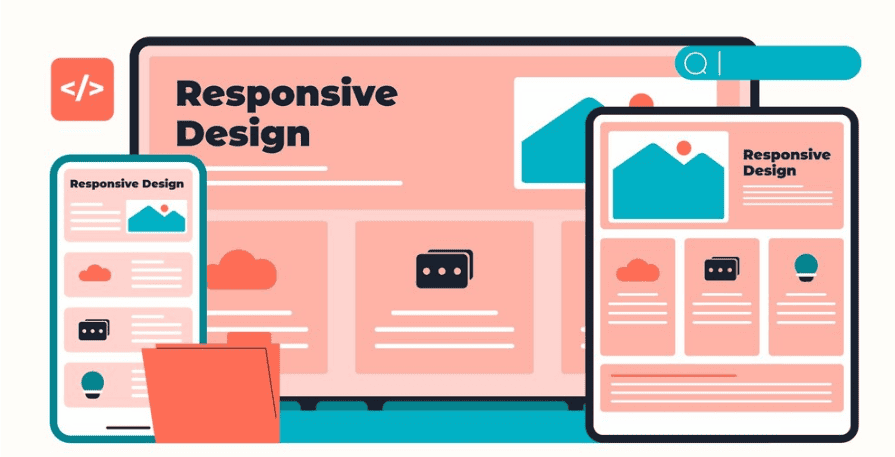
Improved SEO
Search engines, especially Google, now prioritize mobile-first indexing. This means they predominantly use the mobile version of a site for ranking and indexing. A responsive design ensures that your site performs well across all devices, which in turn boosts your visibility in search results.
Lower Bounce Rates
Users are far more likely to stay on your site when it loads correctly and looks appealing on their screen. A responsive layout prevents elements from overlapping or breaking, which reduces frustration and encourages users to explore further. This will ultimately lower bounce rates.
Higher Conversion Rates
Ease of navigation plays a major role in turning visitors into customers. A responsive site that works smoothly across devices removes friction from the user journey, making it easier for people to complete actions such as filling out a form, signing up for a service, or making a purchase.
Brand Consistency
A responsive design ensures that your branding, logos, colors, typography, and messaging remain consistent across all devices. This consistency builds trust and reinforces your brand identity in every user interaction.
By embracing responsive web design, you’re not only meeting current user expectations but also positioning your website for long-term success in a mobile-first digital landscape.
Further reading: Top White Label WordPress SEO Services
Common Screen Sizes for Web Design
When building a responsive website, it’s essential to consider the screen sizes of the devices your audience is likely to use. Understanding these common resolutions helps you create visually consistent and functionally fluid layouts across various platforms.
Below is a quick reference guide to the most frequently encountered screen sizes:
| Device Type | Different Screen Resolutions |
| Mobile | 360×640, 375×812, 414×896 |
| Tablet | 768×1024, 800×1280 |
| Laptop | 1366×768, 1440×900 |
| Desktop Devices and Computer Screen | 1920×1080, 2560×1440 |
These dimensions represent standard breakpoints that web designers use to test and adjust layouts. While these aren’t the only screen sizes in use, they cover a wide enough range to account for most user experiences.
Why Mobile Screen Size Matters
Designing web pages for specific screen sizes helps you ensure that content doesn’t overflow, elements aren’t misaligned, and users don’t have to zoom or scroll unnecessarily. Additionally, paying attention to common resolutions during the design and web development phases helps catch issues early before they affect real users.
Start Small and Scale Up
Adopting a mobile-first design approach is highly recommended. This means designing for the smallest screens first, then progressively enhancing the layout as the screen size increases. This method not only improves performance on mobile devices but also ensures that your design remains clean, focused, and user-friendly across all screen types.
By understanding and designing around these common screen sizes, you can build a site that feels natural and intuitive to every user.
Know more: Benefits of WordPress Theme Customization
Bonus: Optimizing Image Quality and File Format
Images enhance the visual appeal of a website, but if not properly optimized or if you don’t follow the image size guidelines, they can drastically slow down page load speeds. This not only disrupts the user experience but also negatively affects search engine rankings. Therefore, optimizing your high resolution images for quality, fixed layouts, and performance is essential in modern web design.

Best Practices for Image Formats on WordPress Website
Choosing the right file format is key to maintaining quality while keeping file sizes and screen space manageable. Here’s how to decide what format to use:
- JPEG: Best suited for photographs and complex images where color depth is important.
- PNG: Ideal for graphics that require transparency or sharp edges, such as logos or icons.
- WebP: A modern format that offers excellent compression without a noticeable drop in quality. It’s highly recommended for performance-focused designs.
Read: Best Examples of Triadic Color Schemes to Craft Vibrant Design
Recommended/Best Image Dimensions
Using appropriately sized website images ensures that they display clearly without causing layout shifts or load delays. So, how many pixels is ideal? Here are a few common dimensions to follow:
- 1200×630 pixels: Perfect for blog post graphics and social sharing thumbnails.
- 2400×1600 pixels: Ideal for hero image banners and full-width headers where high resolution is needed.
By sticking to recommended dimensions, you can maintain consistency and visual quality across different sections of your site.
Image Compression Tools
Before uploading images, it’s important to compress them to reduce file size without sacrificing quality. Several tools can help with this:
- TinyPNG: Great for both PNG and JPEG formats.
- ImageOptim: A desktop app for macOS that removes unnecessary metadata.
- Squoosh: A browser-based tool that lets you fine-tune compression settings manually.
These tools help speed up your site while preserving the quality of your visuals.
Responsive Image Delivery
To further enhance performance, consider using responsive image techniques. One effective method is to use the srcset attribute in HTML, which allows browsers to choose the best image size based on the user’s screen resolution. Alternatively, tools like Cloudinary can automatically serve device-specific versions of your images, streamlining the optimization process.
To Sum Up
Designing a standard content wide website isn’t about following rigid rules. It’s about understanding your audience, embracing flexibility, and making smart design choices that work across devices.
By focusing on screen sizes, aspect ratios, and responsive practices, you’ll create a site that not only looks good but also performs well. Also, remember that design is a continuous process. So, test often, gather feedback, and keep improving.
FAQs About Standard Content Wide Website
What should my website content width be?
The ideal content width for most websites is between 1140px and 1280px. This width ensures readability without overwhelming users.
Are websites 1920×1080?
Not exactly. While 1920×1080 is a common screen resolution, most websites use a centered layout with fixed or max-content widths that are narrower.
What is the best image width for a website?
The best image width for a website depends on usage. For full-width banners, aim for 1920px. For blog images or thumbnails, 1200px is typically sufficient.
What is the standard size of a website layout?
The standard size of a website layout width falls between 960px and 1440px, with content commonly centered within that frame.